Convert JPG to PNG Free Online — Keep Transparency, No Signup
Do you need to convert a JPG image to PNG format? Maybe you want to add a transparent background, or you need a lossless version of your photo for a design project. Whatever the reason, this guide explains everything about converting JPG to PNG for free online — and how to do it in seconds using LynxAI Pro's free JPG to PNG converter.
What Is the Difference Between JPG and PNG?
JPG and PNG are both popular image formats, but they work very differently:
- JPG uses lossy compression — it reduces file size by permanently removing some image data. Best for photographs and images where small file size matters.
- PNG uses lossless compression — no image data is lost. It also supports transparent backgrounds (alpha channel), making it ideal for logos, icons, and graphics.
| Feature | JPG | PNG |
|---|---|---|
| Compression | Lossy | Lossless |
| Transparency | ❌ No | ✅ Yes |
| Best for | Photos, social media | Logos, icons, graphics |
| File size | Smaller | Larger |
| Quality after save | Slight loss | Perfect quality |
Why Would You Convert JPG to PNG?
There are several common reasons people need to convert JPG to PNG:
- You need a transparent background — JPG cannot have transparency. Converting to PNG lets you remove or add transparent areas to your image.
- You need perfect quality for editing — PNG is lossless, so every time you save it, quality is preserved. JPG loses a little quality every time it is saved.
- Design software requires PNG — Tools like Canva, Figma, and Adobe require PNG for overlays, stickers, and designs with transparent layers.
- Printing crisp logos or text — PNG preserves sharp edges on text and logos without the artifacts that JPG compression creates.
- Platform requirements — Some platforms (app stores, web builders) specifically require PNG for icons and logos.
How to Convert JPG to PNG Free Online (Step by Step)
Using LynxAI Pro's free JPG to PNG converter, the process takes under 30 seconds:
- Step 1: Visit lynxaipro.com/free-jpg-to-png-converter
- Step 2: Upload your JPG or JPEG file — drag and drop or click to browse
- Step 3: Click Convert — processing is instant on secure servers
- Step 4: Download your PNG file — auto-deleted from server after download
No account. No watermark. No software installation. Works on iPhone, Android, Windows, and Mac.
Does Converting JPG to PNG Improve Quality?
This is one of the most common questions. The honest answer: converting JPG to PNG does not recover lost quality from the original JPG compression. The quality that was lost when the JPG was first created cannot be restored.
However, converting JPG to PNG stops any further quality loss. Once in PNG format, the image stays at exactly that quality level no matter how many times you save, edit, or re-export it. This makes PNG the ideal working format for any image you plan to edit multiple times.
Does JPG to PNG Add a Transparent Background?
Converting JPG to PNG does not automatically create transparency — it simply changes the file format. To actually remove the background and make it transparent, you need a separate tool.
LynxAI Pro has a free AI Background Remover tool that automatically removes backgrounds in seconds. The workflow is: convert JPG to PNG first, then use the background remover for a transparent PNG result.
JPG to PNG File Size: What to Expect
PNG files are generally larger than JPG files because PNG uses lossless compression. When you convert JPG to PNG, your file size will increase — this is completely normal. A 200KB JPG might become a 600KB–1.2MB PNG file.
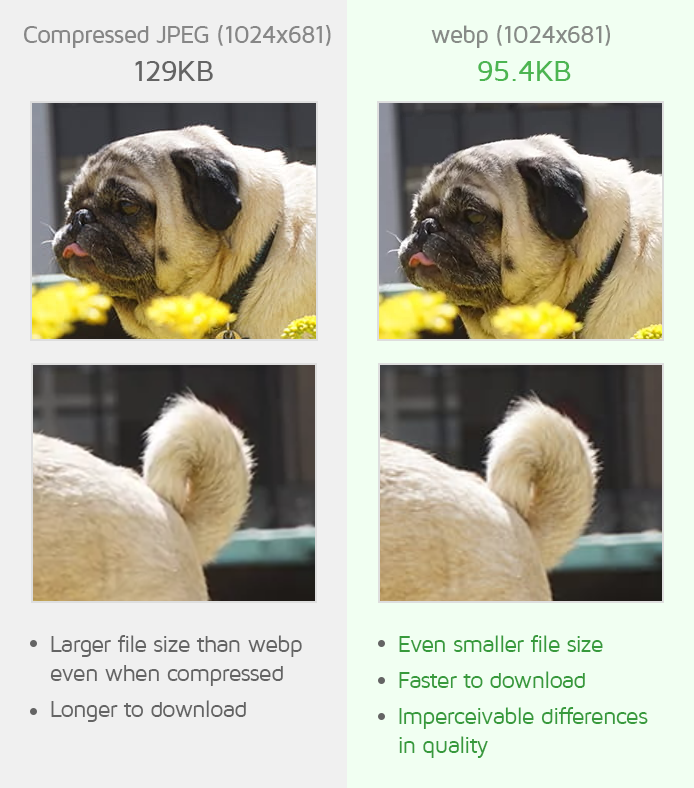
If file size is a concern, consider converting to WebP format instead — WebP gives you transparency support with file sizes 30–40% smaller than PNG.
Frequently Asked Questions
Is the JPG to PNG converter really free?
Yes. LynxAI Pro's JPG to PNG converter is completely free with no signup, no watermark, and no hidden charges.
Is it safe to upload my images?
Yes. All files are processed on 256-bit encrypted servers and automatically deleted after conversion. Your images are never stored, sold, or shared.
Can I convert multiple JPG files to PNG at once?
Yes. LynxAI Pro supports batch conversion — upload multiple JPG files and convert them all to PNG simultaneously.
What is the maximum file size I can convert?
The free plan supports standard image file sizes. For very large files, try our image compressor first to reduce the file before converting.
Can I convert JPEG to PNG? Is JPEG the same as JPG?
Yes — JPEG and JPG are exactly the same format. The difference is just the file extension name. You can upload both .jpg and .jpeg files to the converter.
More Free Image Tools You Might Need
- PNG to JPG Converter — Convert PNG back to JPG to reduce file size
- PNG to WebP Converter — Smaller than PNG, keeps transparency
- AI Background Remover — Remove image background in one click
- Image Compressor — Compress PNG and JPG without quality loss
- Image Resizer — Resize images to any dimension for free